Your account Step 27 of 35
Export all your data
An owner can download everything the organisation holds as one zip, settings, people, domains, record history, alerts, the audit log and every report.
Updated
An owner can download everything DMARCLoop holds for the organisation, at any time, as one zip. It’s the copy to keep before you leave, or for your own records.
Request an export
Open Organisation, the last link in the organisation’s part of the left sidebar. Export all data is shown to Owners only.
Under Export all data, choose Request an export. Export requested. We’ll email you a link when it’s ready, usually within minutes. The export is built in the background; while it is, the button reads Export in progress.
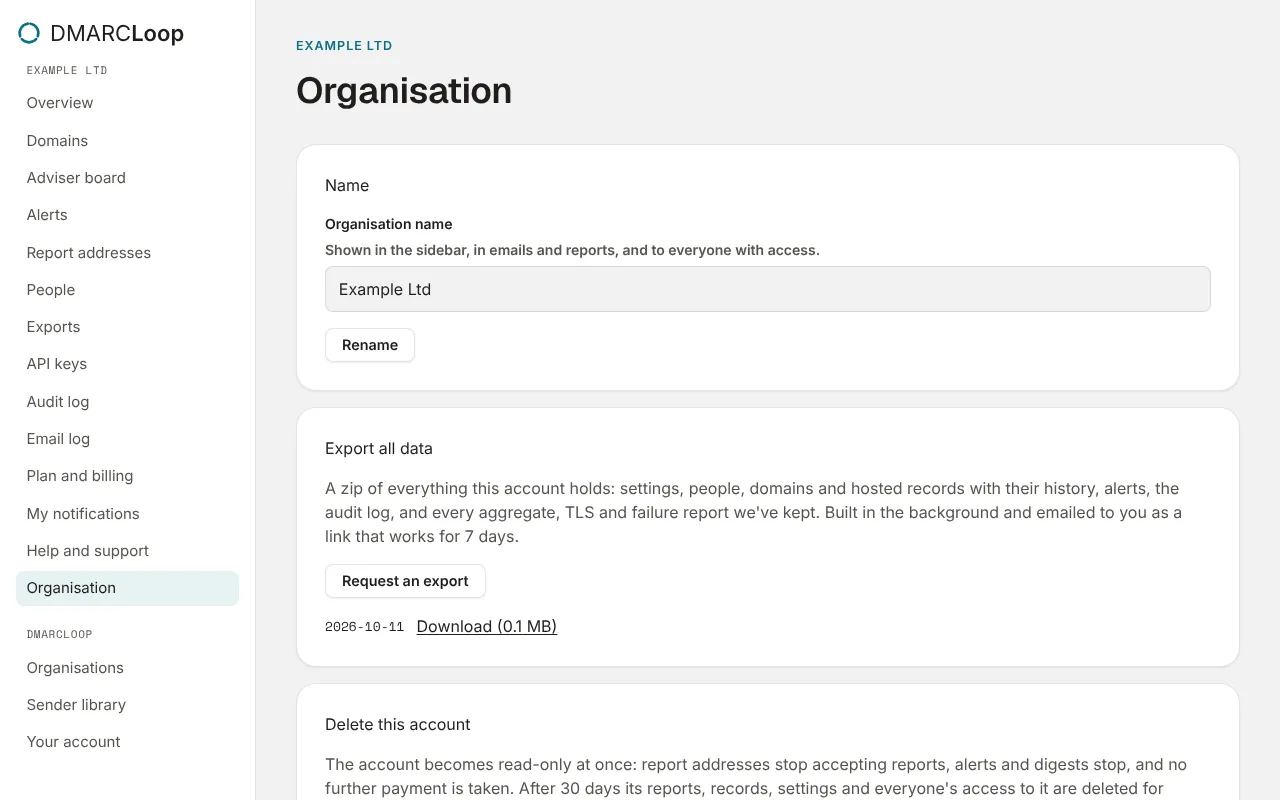
When it’s ready, you get an email with a download link that works for 7 days, and the export is listed on the page with its date and Download link and size. After 7 days the link expires; request a new export.
What’s in it
A zip of everything this account holds: settings, people, domains and hosted records with their history, alerts, the audit log, and every aggregate, TLS and failure report we’ve kept. Records are JSON, one per line, so they load into anything. A README in the zip describes each file.
Report data covers your plan’s report history; failure reports cover their shorter retention.
For MSPs
Your MSP organisation’s export covers the MSP organisation. In a client, the MSP’s owner acts as an admin, so the full export of a client is for an owner of that client. The Exports page’s CSV and PDF downloads work in every client; see Exports and scheduled reports.
Next
Stuck? Reply to any email DMARCLoop sends, or contact us — a person reads it.