For MSPs Step 34 of 35
White-label
Give your clients your own product name, logo, app address, sending domain and report domain, and see what they use until each part is set up.
Updated
White-label puts your product in front of your clients instead of ours: your name and logo in the app, in alerts and digests and on PDF reports, at your own address, from your own sending domain, with report addresses on your own domain. It’s for MSP organisations, on plans that include it; it’s arranged with us, so talk to us. Setting it up needs the Owner or Admin role, from White-label in your MSP organisation’s sidebar.
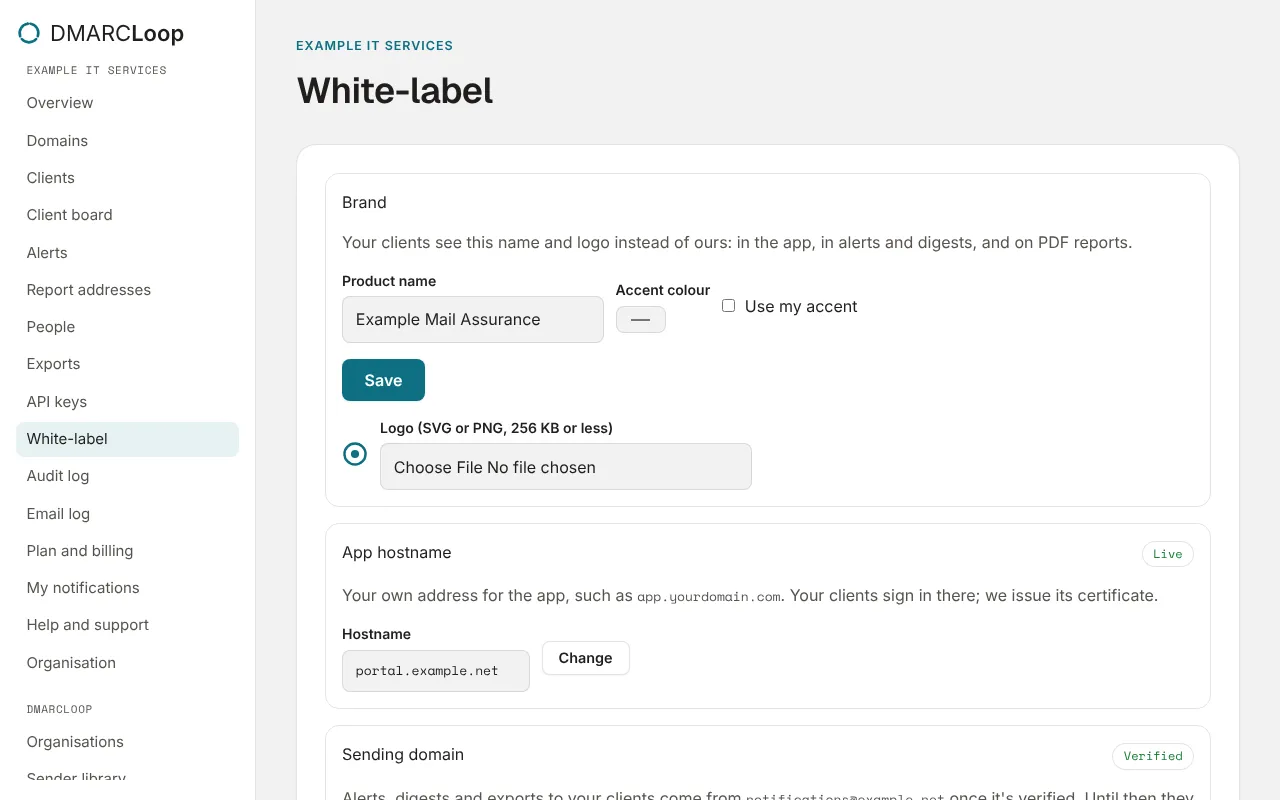
Each part goes live on its own, once it’s verified. Until then, a neutral brand stands in for it, so your clients never see DMARCLoop’s name.
Brand
Enter the Product name and choose Turn on white-label. From then on, your MSP organisation and every client use it. Optionally:
- Accent colour, with Use my accent: your colour for buttons and links, in place of ours.
- Logo (SVG or PNG, 256 KB or less).
Name, colour and logo are live as soon as they’re saved.
App hostname
Your own address for the app, such as portal.example.net. Your clients sign in
there, and we issue its certificate. Enter the Hostname and choose Add;
the card lists the records to publish in your DNS (a CNAME to
saas.h.dmarcfeedback.com, and any certificate check records). It shows
Waiting for DNS until the address works, then Live.
On your address, people can’t create organisations: they join by invitation, and the sign-in page says Access is by invitation from your provider. Passkeys made on another address don’t work there; see Set up two-factor authentication.
Sending domain
Alerts, digests and exports to your clients come from notifications@ your domain once it’s verified. Until then they come from a neutral address under your product name. Enter the Domain, choose Add, and publish the records the card lists. It shows Verified when it’s done.
Check now checks the app hostname and the sending domain straight away; we also check every day.
Report domain
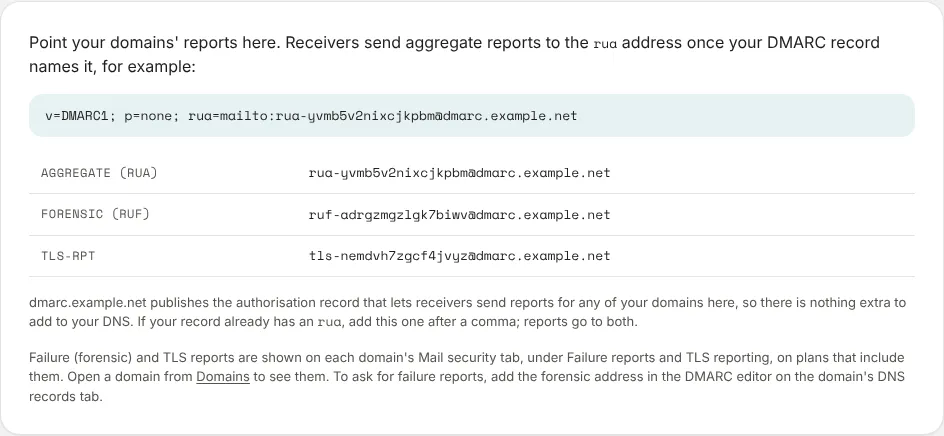
Your clients’ report addresses and hosted records use
a domain of yours, such as dmarc.example.net, once it’s set up with us. It’s a
domain you own, delegated to us; ask us to set one up. The card then says
Reports and hosted records use your domain.
Until then, report addresses and hosted records use a neutral domain,
dmarcfeedback.com:
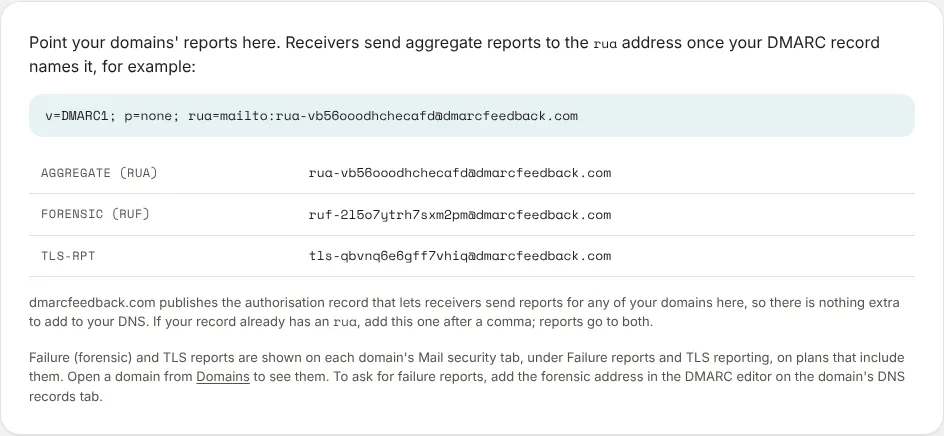
Addresses already in use keep working when your domain is set up; new ones use yours.
Next
Stuck? Reply to any email DMARCLoop sends, or contact us — a person reads it.