Your account Step 25 of 35
The audit log and the email log
The audit log records every change in your organisation, who made it and when, including API keys and our support staff. The email log lists the mail sent.
Updated
Audit log, in the left sidebar, records what changed in your organisation and who changed it, newest first. Owners and admins can see it.
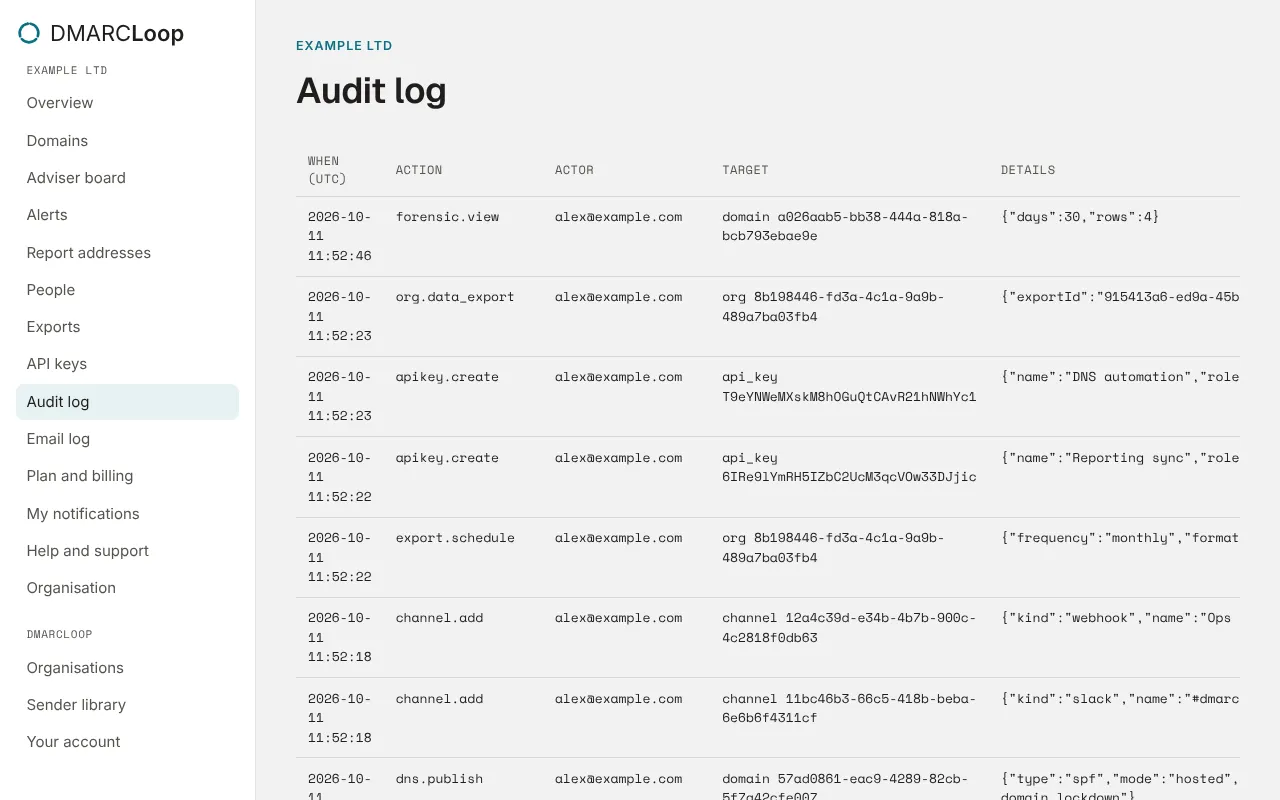
Each entry shows:
| Column | What it shows |
|---|---|
| When (UTC) | The time, to the second. |
| Action | What was done, such as member.add, org.update or adviser.apply. |
| Actor | Who did it: a person’s email address, key and an API key’s id, or system for our own jobs. |
| Target | What it was done to, such as a domain or a person. |
| Details | The specifics, such as the role given or the policy published. |
Load older fetches the next page.
What’s recorded
Changes to the organisation, its people and invitations, domains and their DNS records, policy steps, alert channels, API keys, exports, white-label and billing; and every look at failure reports, because they can hold personal data.
When our support staff act for you
To help with a problem, our support staff can sign in as you, with every action logged. Anything they do appears here like your own actions, with the actor shown as their account as yours, so you can always tell what was done for you. While they’re signed in as you, they can’t change your password, two-factor or passkeys, or reach your payment details, and failure reports are hidden from them.
The email log
Email log, also in the left sidebar, lists the mail we sent about your organisation in the last 90 days, newest first: invitations, alerts, digests, scheduled and full exports, and plan and account notices. Owners and admins can see it. Sign-in mail, such as email confirmations and password resets, belongs to the person, not the organisation, so it isn’t listed.
| Column | What it shows |
|---|---|
| Date (UTC) | When it was sent, to the minute. |
| Recipient | The address it went to. |
| What | The kind of mail, such as Alert or Weekly digest, and its subject. |
| Status | What happened to it, below. |
| Status | Meaning |
|---|---|
| sent | Handed to our mail provider. It changes once the recipient’s mail server answers, usually within minutes. |
| delivered | The recipient’s mail server accepted it. |
| bounced | The recipient’s mail server refused it, or our mail provider didn’t try because the address refused mail before. |
| marked as spam | The recipient reported it as spam. |
| not sent: suppressed | Mail to that address is stopped, so nothing was sent. |
| failed | It couldn’t be sent. We retry what can be retried. |
An address is suppressed when:
- its mail server says it doesn’t exist;
- someone reports our mail as spam;
- someone asks us to stop;
- it refuses mail three times in two weeks with nothing delivered in between, for example because the mailbox is full. This stop lasts 30 days, and then we try again.
We keep who, what and when, never the message itself. If someone isn’t getting your alerts and their address shows bounced or not sent: suppressed, fix the mailbox, then ask support to release it.
Next
Stuck? Reply to any email DMARCLoop sends, or contact us — a person reads it.