Your account Step 30 of 35
Service status
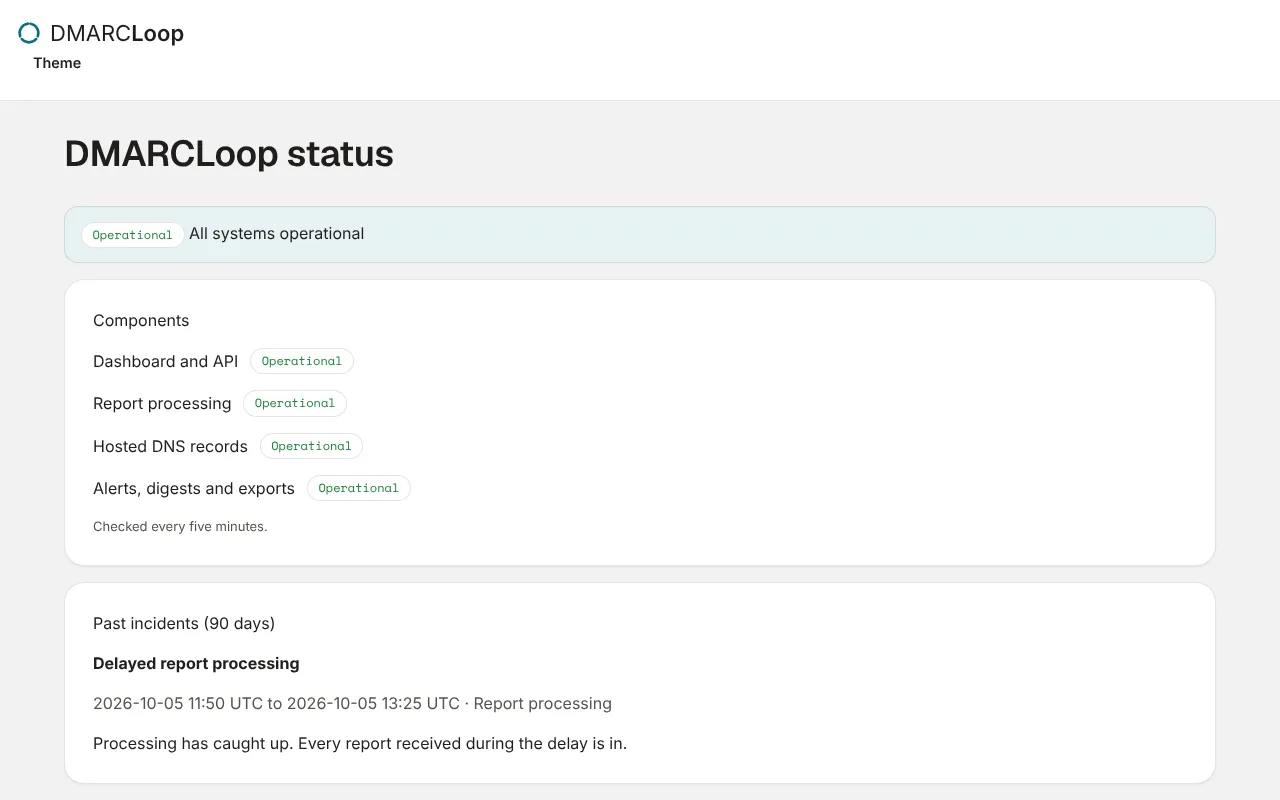
The public status page shows whether the dashboard, report processing, hosted DNS and notifications are working, and the history of past incidents.
Updated
The status page says whether DMARCLoop is working, without signing in. It’s at
status.dmarcloop.com, and at /status on the app.
What it shows
The headline is one of All systems operational, Some systems are degraded, Some systems are down, or Status checks are delayed. Under it, each part of the service with its state, Operational, Degraded or Outage:
| Part | What it covers |
|---|---|
| Dashboard and API | The app and the API. |
| Report processing | Reports arriving and appearing in the app. |
| Hosted DNS records | Publishing hosted records. |
| Alerts, digests and exports | Mail and channel notifications, scheduled exports. |
The states come from automatic checks every five minutes. Our team posts incidents with updates as they’re investigated, identified, monitored and resolved; resolved incidents stay listed underneath.
When something is wrong
A processing delay doesn’t lose reports: what arrives is stored first and processed once processing catches up. If the status page says all is well and something still isn’t working for you, contact support.
Next
Stuck? Reply to any email DMARCLoop sends, or contact us — a person reads it.