Your account Step 22 of 35
Notifications and alerts
Every alert DMARCLoop sends and when, who receives it, turning kinds off for yourself, the digest, and the getting-started emails.
Updated
DMARCLoop tells you when something about a domain changes and a person should act. Each alert is sent once, when its condition starts, by email to the people who can act on it and to the organisation’s alert channels. Between alerts, a digest summarises every domain.
The Alerts page
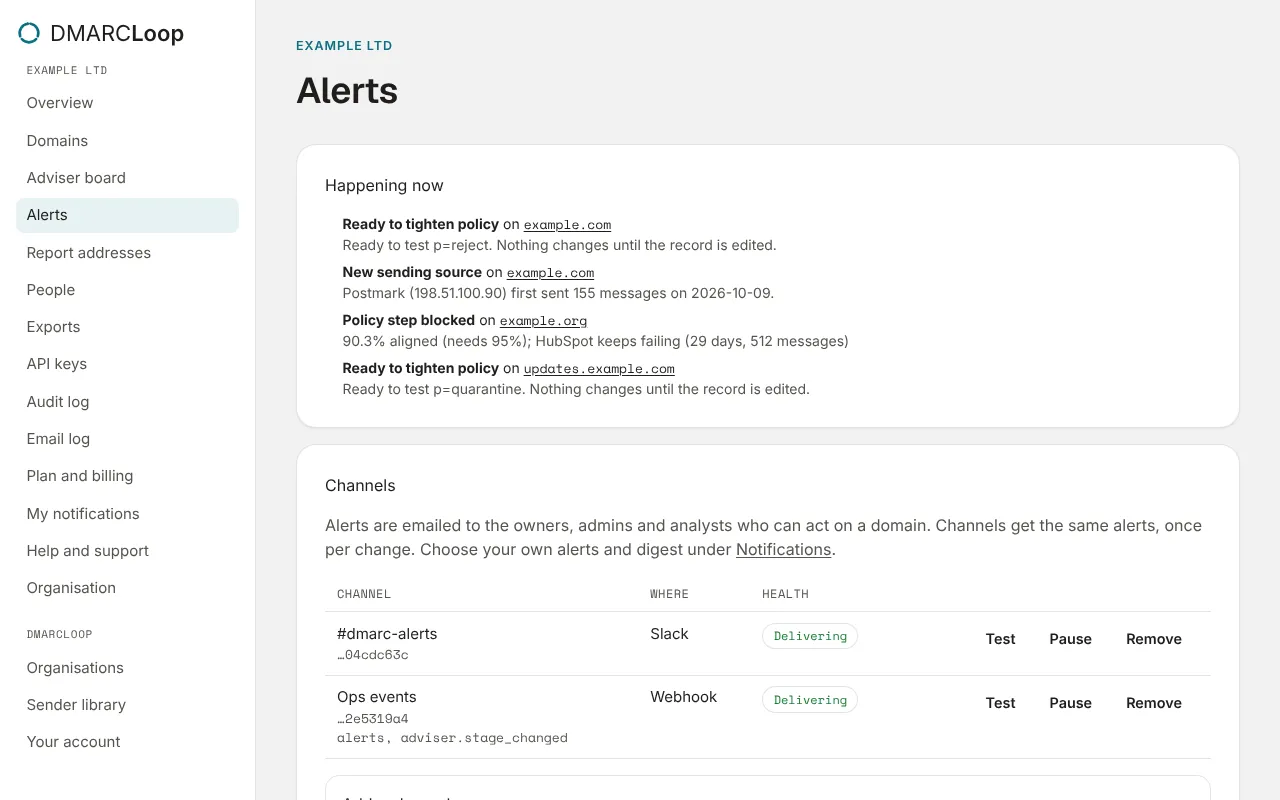
Alerts, in the left sidebar, has three parts:
- Happening now: every condition currently true, with its domain. Nothing needs attention. when there are none.
- Channels: Slack, Microsoft Teams, webhooks and ConnectWise PSA; see Alert channels and webhooks.
- Sent: every alert sent, when, and how many people and channels it reached.
Every alert
| Alert | Sent when |
|---|---|
| DMARC record missing | A DMARC record that was published is no longer there. |
| DMARC record invalid | The DMARC record no longer parses, so receivers ignore it. |
| Reports no longer sent to us | The DMARC record is present but no longer sends reports to us. |
| Hosted DNS delegation broken | A CNAME or include that delegates a record to us no longer points at us. |
| DNS record changed | A record you manage yourself no longer matches what it should be. |
| Ready to tighten policy | The adviser thinks a domain can safely move to a stricter policy. |
| Policy step blocked | A domain has enough evidence for its next step, but a sending source keeps failing. |
| Mail being blocked | An enforcing domain has legitimate-looking mail failing DMARC. |
| Policy loosened | The published DMARC policy was loosened. |
| Reports stopped | A domain that was receiving DMARC reports has had none for seven days. |
| New sending source | A source not seen before sent meaningful volume as the domain: 50 messages in its first two days. |
| Compliance dropped | The share of mail passing DMARC fell by five points or more, week on week (with at least 100 messages each week). |
| Volume spike | A day’s mail was more than three times the usual volume (the median of the previous 14 days), and at least 500 messages. |
| SPF lookup limit exceeded | The SPF record needs more than ten DNS lookups, so receivers treat it as failing. |
| SPF record invalid | The SPF record doesn’t parse, or the domain publishes more than one. |
| Hosted SPF not updating | The flattened SPF record we serve couldn’t be rebuilt three times in a row. |
| DKIM key weak | A DKIM selector publishes an RSA key under 1024 bits, which receivers reject. |
| MTA-STS policy broken | The MTA-STS policy can’t be fetched, doesn’t parse, or doesn’t cover the MX hosts. |
| BIMI broken | The BIMI logo or its mark certificate fails a check, or the certificate expires within 30 days. |
| Alert channel failing | A Slack, Teams, webhook or PSA channel has rejected five alerts in a row. |
The adviser and the report checks run once a day; DNS records are checked every six hours. A condition that stays true isn’t sent again; one that clears and comes back is.
Who receives them
Alerts are emailed to the Owners, Admins and Analysts who can act on the domain. In an MSP, that includes the MSP’s people who can see that client. Read-only and Billing members don’t receive alerts.
My notifications
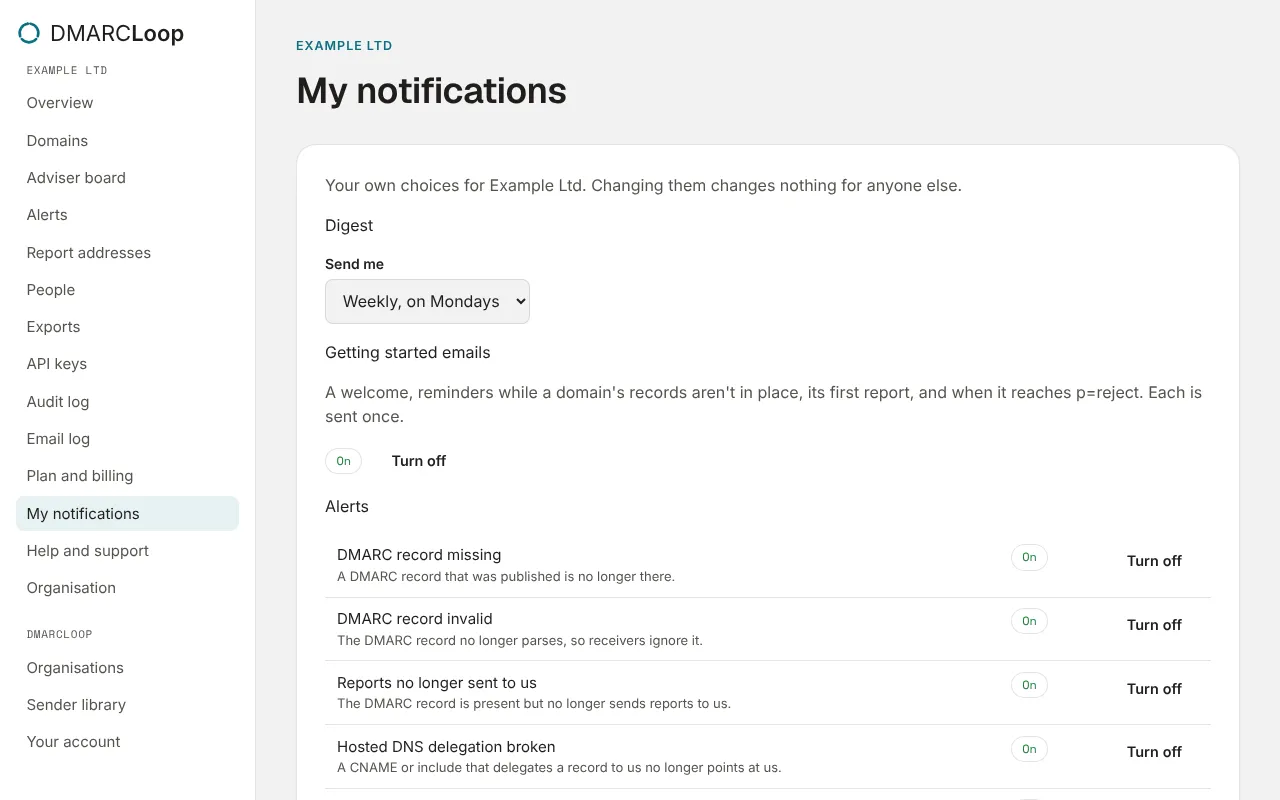
My notifications, in the left sidebar, is your own choice for this organisation. Changing them changes nothing for anyone else.
- Alerts: each kind with On or Off, and Turn off or Turn on. Turning a kind off stops it reaching you by email; channels still get every kind.
- Digest: Send me the Default, Weekly, on Mondays, Monthly, on the 1st, or Off. The default is weekly for owners, admins and analysts who see the whole organisation, and off otherwise.
- Getting started emails: On unless you choose Turn off. See below.
The digest
The digest summarises every domain: its volume and pass rate, where it is on the
way to p=reject, which domains are ready to tighten, and what needs attention.
Every digest email has a link to unsubscribe from it.
In an MSP, How you receive it chooses between One email for the whole account and One email per client.
Getting started emails
A few emails help a new account and each new domain along. Each is sent once.
| Sent when | To | |
|---|---|---|
| Welcome | You create an organisation, within a few minutes. | You |
| Welcome (member) | You accept an invitation to an organisation. | You |
| No domain yet | An organisation has no domain three days after it was created. | Owners and admins |
| Setup reminder | A domain’s DMARC record still isn’t in place, and no report has arrived, 2, 7 and 21 days after it was added. The 21-day one is the last. | Owners and admins |
| First report received | The first aggregate report for a domain arrives (we look every hour). | Owners and admins |
| Enforcing at p=reject | The adviser sees a domain publishing p=reject and receivers enforcing it. |
Owners and admins |
A setup reminder stops as soon as the domain’s DMARC record is in place or a report arrives, and links to the domain’s setup, where you can send the records to whoever edits your DNS. In an MSP, the MSP’s owners and admins receive them for each client too. Nothing is sent about an organisation that is scheduled for deletion.
Turn them off under My notifications, or with the Unsubscribe link at the foot of each one. Either turns them off for you in that organisation only.
Next
Stuck? Reply to any email DMARCLoop sends, or contact us — a person reads it.