Troubleshooting Step 35 of 35
I published the record and nothing happened
No reports two days after publishing the DMARC record? The usual causes, in the order to check them, and how to see what the app received.
Updated
Reports normally start within 24 to 48 hours of the DMARC record going up. Until then, the domain’s Overview says No reports for this domain in the last 30 days. Check its DMARC record names your report address. If it’s been longer than two days, work down this list: it’s in order of how often each one is the cause.
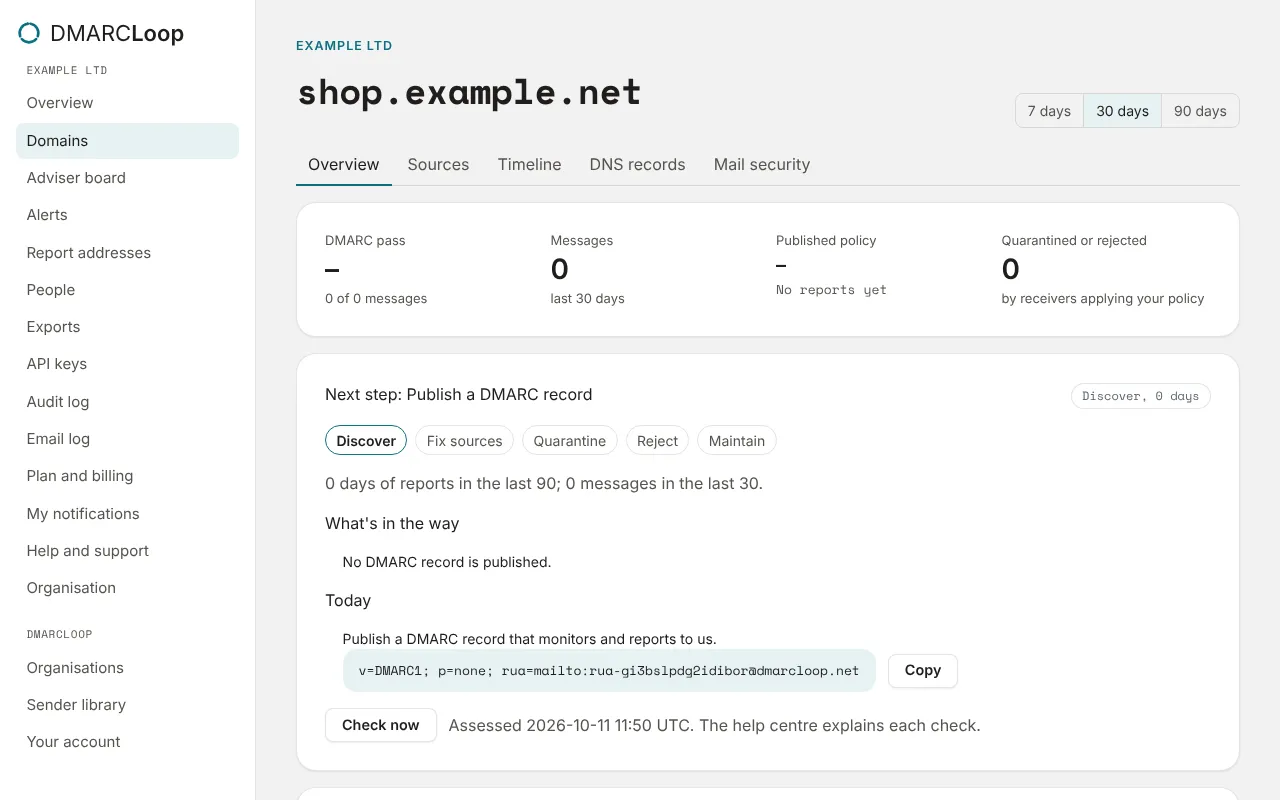
1. Is the record in place?
Open the domain’s DNS records tab and choose Check DNS now. The DMARC card should say In place. If it says Missing or Different, the sentence under it says what we found. See Check the records are in place.
2. Is the record at the right name?
It must be at _dmarc.example.com exactly. The most common mistake is a doubled
name: typing _dmarc.example.com into a panel that adds the domain itself
publishes _dmarc.example.com.example.com. The free
DMARC Inspector shows what’s at the right name.
3. Is there exactly one DMARC record?
Two records at _dmarc (say, an old one and ours) means receivers treat the
domain as having no valid DMARC record at all, and send no reports. Edit the old
one into the single value from the DNS records tab instead.
4. Is the report address exactly right?
Compare the rua=mailto: address in your published record, character for
character, with the Aggregate (rua) address on
Report addresses. A record with a mistyped address
looks perfect in DNS and sends its reports to nobody. Watch for the address cut
short when it was pasted, an extra set of quotes, or another organisation’s
address.
With hosted DMARC, check the CNAME at _dmarc points exactly where the
DNS records tab says.
5. Does the domain send mail?
Reports describe mail that receivers have seen. A domain that sent nothing yesterday has nothing to report. If this domain only sends occasionally, give it a few more days. If it never sends, lock it down: its reports will then show who tries to send as it.
6. Did the reports arrive somewhere else?
The organisation’s Overview lists Recent reports as they arrive, and Reports for domains you haven’t added shows domains whose record names your address but that aren’t on your list: a typo in the domain you added, for example.
Still nothing?
Contact support from Help and support with the domain name. A person reads it, and we can see what our side has received.
Stuck? Reply to any email DMARCLoop sends, or contact us — a person reads it.